
FNSKU vs UPC for Amazon FBA: When Brand Owners Should Go Stickerless (and When They Shouldn’t)
If you’re a brand owner with legitimate GS1 UPCs, it’s natural to assume: “We have UPCs, so we don’t need FNSKUs.”
Often that’s true, but the real decision isn’t about barcode legitimacy. It’s about how Amazon receives, identifies, and tracks inventory inside FBA, and whether your packaging and inbound process can avoid barcode confusion.
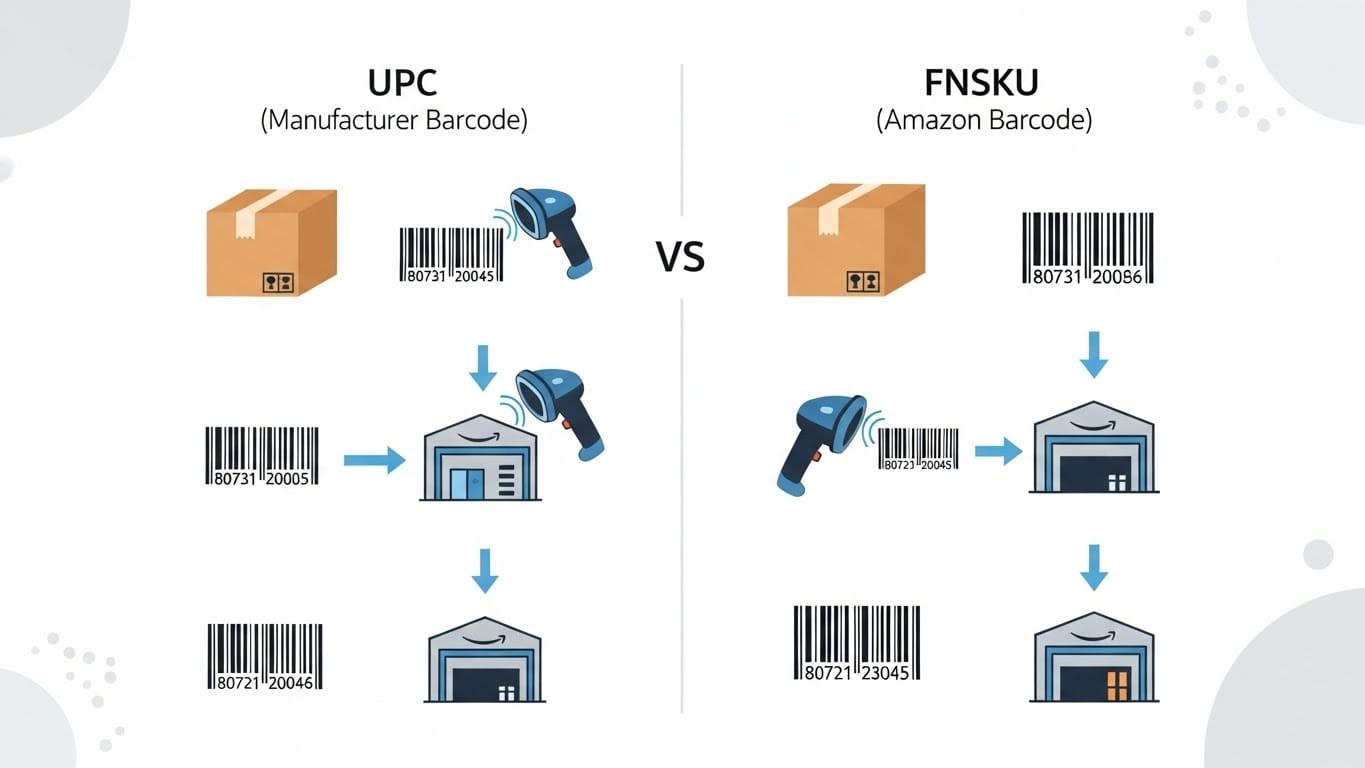
This guide explains the difference between UPC (manufacturer barcode) and FNSKU (Amazon barcode), the practical pros/cons of each, and the operational rules that matter most when you sell the same item in multiple pack sizes as separate listings.
Quick definitions (SKU vs ASIN vs UPC vs FNSKU)
- Seller SKU: Your internal identifier for the offer in Seller Central.
- ASIN: Amazon’s catalog identifier for a product detail page.
- UPC / GTIN (GS1): A global product identifier typically printed on retail packaging and used to create new products in Amazon’s catalog (new ASIN creation).
- FNSKU: “Fulfillment Network SKU,” Amazon’s barcode used to track your inventory units in Amazon warehouses.
Key point: UPC and FNSKU are not competing IDs. They solve different problems:• UPC helps define the product in the catalog.
• FNSKU helps track the physical unit in FBA (offer-level inventory).
Two valid approaches for FBA: UPC stickerless vs FNSKU-labeled
Option A: Use manufacturer barcodes (UPC) for “stickerless” FBA
Amazon scans the UPC already printed on the sellable unit.
Pros
- Less labeling labor and fewer operational steps
- Great long-term fit if your manufacturer prints UPCs cleanly
- Often preferred for true brand owners with GS1 UPCs
Cons / requirements
- Requires strict barcode hygiene (details below)
- Inbound errors can occur if a “wrong barcode” is visible on an outer carton
- Not every SKU/ASIN is eligible in every category or account configuration
Option B: Use Amazon barcodes (FNSKU) and label each unit
You apply (or have a manufacturer/3PL apply) an Amazon FNSKU label to each sellable unit. In many workflows, the UPC is covered so Amazon scans only the FNSKU.
Pros
- Lower receiving ambiguity (ties the unit directly to your Seller Central SKU)
- More forgiving if packaging contains multiple barcodes
- Easier to control edge cases (especially with complex cartons and prep scenarios)
Cons
- Labeling workload (time and cost)
- More process steps (printing, applying, quality checks)
The decision framework (simple rules)
Use UPC stickerless when all of these are true
- Each sellable unit has one correct UPC and it’s the only scannable product barcode
- Your inbound cartons won’t present a conflicting UPC (no “wrong UPC on the outside”)
- You sell multiple pack sizes, but your shipping workflow is consistent and disciplined
- You want to avoid relabeling long-term at the manufacturer level
Prefer FNSKU when any of these are true
- Multiple pack sizes make it easy to expose the wrong barcode at receiving
- You ship inner packs inside master cartons that could be misinterpreted as a different sellable unit
- Packaging has multiple barcodes and you can’t guarantee “one scannable barcode” without labels
- You want the lowest-risk operational path (even if it adds labeling work)
Where brand owners get burned: pack sizes and master cartons
The most common issue for brand owners isn’t commingling. It’s barcode confusion at receiving.
This shows up most often when you sell the same product in different configurations, such as:
- A single unit vs a multi-unit bundle
- A “retail pack” vs a “bulk pack”
- An individual component vs a master kit
Example scenario
You sell a product as a single unit and also as a bundle (with a different UPC and a different Amazon listing).
The bundle physically contains multiple single units inside. This is fine, but it becomes a problem if Amazon can scan the bundle UPC on an outer carton when
the contents are actually singles (or vice versa).
Operational rules that prevent receiving errors
- One sellable unit = one UPC
Each configuration (single, bundle, kit) must have its own unique identifier and listing. - Only one scannable product barcode visible per sellable unit
Avoid multiple UPCs/barcodes on the same unit that could compete at scan time. - Master cartons must not expose a conflicting UPC
Shipping cartons should not display a UPC that could be mistaken for what’s inside. If you reuse printed cartons, plan to cover conflicting UPCs consistently. - Don’t mix configurations in the same inbound shipment (especially early)
Keeping shipments separated by configuration reduces mistakes and makes troubleshooting much easier.
Manufacturer guidance (to avoid relabeling later)
If your goal is “no relabeling,” the manufacturer packaging plan matters more than any Amazon setting.
Here’s a practical checklist to send to your factory.
Sellable unit packaging (the unit Amazon will pick/ship)
- Print the correct GS1 UPC for that exact sellable unit
- Ensure the UPC is high contrast and scannable
- Avoid additional scannable product barcodes on the unit where possible
- Leave clean label space in case Amazon requires labels for a subset of SKUs later
Master cartons (shipping cartons)
- Prefer neutral master cartons (no sellable UPC printed on the outside)
- Use logistics labels (SKU text, quantity, lot/date code as needed)
- If a UPC must appear on a carton for other reasons, ensure it will never conflict with the contents for any FBA workflow
Pros/cons summary
| Approach | Best for | Upside | Tradeoff |
|---|---|---|---|
| UPC / Stickerless FBA | Brand owners with clean packaging and stable inbound workflows | Minimal labeling work, scalable, manufacturer-friendly | Requires strict barcode discipline, carton mistakes can cause mis-receiving |
| FNSKU labeling | Complex cartons/pack structures or messy barcode environments | Lower ambiguity at receiving, more forgiving operationally | More labeling labor/cost, more process steps |
Implementation checklist (brand owners)
- Confirm your product architecture: separate listings for each configuration (single vs bundle, kit, etc.)
- Confirm identifiers: unique GS1 UPC per sellable unit
- Confirm your barcode approach in Seller Central (and eligibility by category/SKU)
- Confirm packaging rules: one scannable product barcode per sellable unit
- Define inbound SOP: master carton rules, and avoid mixing configurations in the same shipment
- Post-receipt validation: spot-check that received inventory landed in the correct SKUs
FAQ
Can I use UPC for some SKUs and FNSKU for others?
Yes. Many brands use UPC stickerless for simple items and FNSKU for complex carton/pack scenarios.
If a bundle contains multiple inner units, does that force FNSKU?
No. It forces barcode discipline. You can still use UPC stickerless if the sellable unit barcode and carton barcodes can’t be confused during receiving.
What if Amazon says my SKU requires labeling?
Then you’ll need to label that SKU (often with FNSKU) regardless of having a UPC. This can vary by category, product, and account settings.
Need help choosing the right approach?
If you share your structure, how you plan to carton and ship to FBA, and your target category, we can recommend a clean UPC-only (stickerless) plan or a hybrid plan, and provide a manufacturer-ready packaging checklist to avoid relabeling surprises.
Want this analysis done for your category instead of learning another dashboard?
A Marketplace Snapshot is the same competitive picture, run for you on live Amazon and Google Shopping data and delivered as a report you can act on the same day. No subscription, no account access, no tool to learn.
- Price bands: floor, median, ceiling
- Seller and merchant landscape
- Rating and review benchmarks
- Weak-competitor candidates
- Prioritized recommendations
- Interactive report plus XLSX